YouTube Categories API
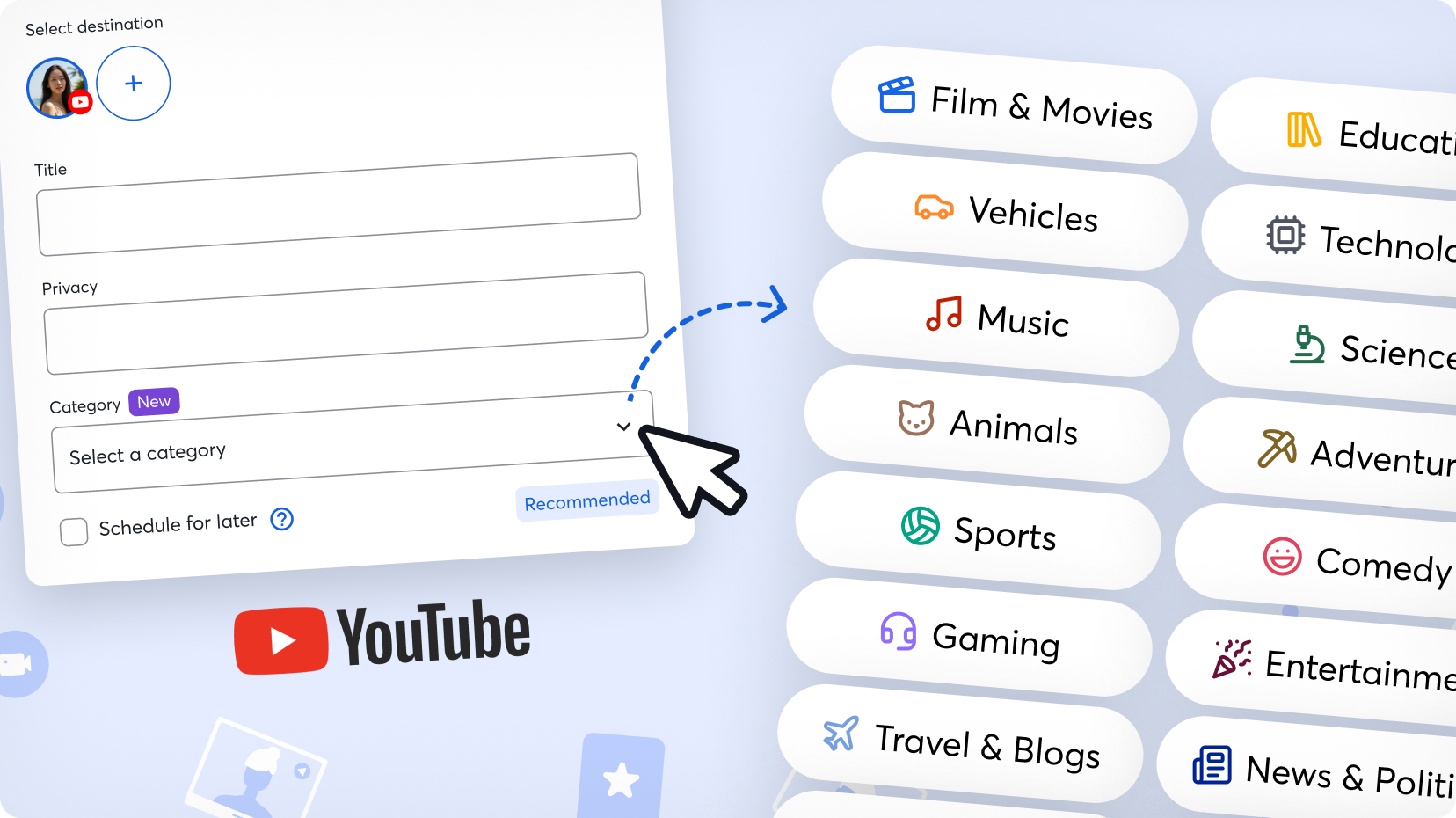
YouTube Categories Implementation: Handling Multi-Platform Category Selection
One of the main challenges of StreamYard is the massive amount of different user experiences that have to be tested: we have several subscription tiers, team roles, and different platforms that allow for different functionalities. YouTube, Twitch, and Kick all allow users to categorize their streams, but each uses different query parameters, response schemas and API structures.
Since I had already dealt with Kick categories (and Twitch ones are so simple, just a hardcoded list of 9 categories that never change), I recently worked on adding YouTube category selection while refactoring the component to be more flexible and handle all three platforms.
Backend Implementation With A Clever Workaround
The backend implementation for YouTube categories uses the videoCategories.list endpoint Google’s YouTube Data API v3. According to Google’s documentation, this endpoint returns a list of categories that can be associated with YouTube videos.
The API supports both region-specific categories and localization. Respectively, it accepts regionCode and hl as query parameters, where the region code must be an ISO 3166-1 alpha-2, and the language a 2 letter code with default en_US. So the category results are region-specific, meaning we need to find a robust solution to ascertain the user’s region, or else we would show the incorrect list of results for them to pick their category from, which in turn would give us an error when we make another API call to set it in the broadcast. And optionally, we can pass the language in which to show the results to the user.
But this meant it wasn’t trivial to implement the API - how could I find a way to know the user’s region without having to access the user’s location, with the mess of permissions that that entails, accurately enough to avoid errors where the user tried to update their broadcast with a category unavailable in their region:
1
2
3
4
5
6
7
8
9
10
11
[ERROR] Error updating the broadcast category
    data:
      error:
        response:
          config:
            timeout: x
            url: https://www.googleapis.com/youtube/v3/videos?part=snippet
            method: PUT
...
 name: Error
        message: The <code>snippet.categoryId</code> property specifies an invalid category ID. Use the <code><a href="/youtube/v3/docs/videoCategories/list">videoCategories.list</a></code> method to retrieve supported categories.
I came up with a workaround that I am fairly proud of. I used the npm package countries-and-timezones to infer the user’s location from their browser’s timezone setting.
1
2
3
4
5
6
7
8
9
10
11
12
13
14
15
16
17
18
function getRegionFromTimezone() {
    try {
        // Get browser timezone (e.g., 'Europe/Madrid', 'Asia/Tokyo')
        const timezone = Intl.DateTimeFormat().resolvedOptions().timeZone;

        if (timezone) {
            // Map timezone to country code
            const timezoneInfo = getTimezoneInfo(timezone);
            if (timezoneInfo?.countries?.length > 0) {
                return timezoneInfo.countries[0]; // Returns 'ES', 'JP', etc.
            }
        }

        return 'US'; // Fallback
    } catch (error) {
        return 'US';
    }
}
The implementation uses the Intl.DateTimeFormat API to get the user’s timezone (like America/New_York or Europe/Madrid), then maps that to an ISO 3166-1 alpha-2 country code using the package. This gives us a pretty accurate geographic location without any user input. If timezone detection fails for any reason, we default to 'US' as a sensible fallback, given that this is also YouTube’s default for language, and that before implementing this API, we always sent 'US' as the param. For language, we instead use whatever their preference is within StreamYard.
Of course, we do store region in other cases, for example on user billing (not available for free users) and signup. However, my solution was more reliable, since if a user has moved since, or was using a VPN at the time, all future YouTube API calls could result in error.
What is also interesting is what we were doing before. Since we didn’t have the option to allow users to select the category, we would instead “estimate” it behind the curtains. Basically, we fetch the user’s most recent uploaded videos (we grab the last two to account for deleted videos that might still show up in playlists) and extract the category from the first valid video we find. If none are found, we just return undefined. This was kept as the fallback experience in case getRegionFromTimezone returns an invalid code.
1
2
3
4
5
6
7
8
9
10
11
12
13
14
15
16
17
18
19
20
21
22
async function estimateCategoryFromPastBroadcasts(channelId) {
    // Fetch user's recent uploads (last 2 videos)
    const recentVideos = await getRecentChannelVideos(channelId, maxResults: 2);

    // Extract video IDs (some might be deleted but still in playlist)
    const videoIds = recentVideos
        .map(item => item.videoId)
        .filter(id => id);

    // Fetch full video details for each ID
    const videos = await Promise.all(
        videoIds.map(id => getVideoDetails(id))
    ).then(results => results.filter(video => video)); // Remove null/deleted

    // If we found at least one valid video, use its category
    if (videos.length > 0) {
        return videos[0].categoryId;
    }

    // No valid videos found - don't set a category
    return undefined;
}
The caching strategy is also important. YouTube’s category list doesn’t change frequently - the last update at the time of writing was in 2016 according to their revision history. Therefore, we could make the implementation “cheaper” by avoiding unnecessary API calls and caching the category list for 7 days. This should only be otherwise updated if the region or language change.
1
2
3
4
5
6
7
8
9
10
11
12
13
14
15
16
17
18
19
20
21
22
23
24
25
26
27
28
29
30
31
32
33
const CACHE_DURATION = 7 * 24 * 60 * 60 * 1000; // 7 days
let categoryCache = {};

async function getCategories(regionCode, language) {
    const cacheKey = `categories_${regionCode}_${language}`;

    // Check if we have a valid cached version
    if (categoryCache[cacheKey] &&
        Date.now() - categoryCache[cacheKey].timestamp < CACHE_DURATION) {
        return categoryCache[cacheKey].data;
    }

    // Fetch from YouTube API
    const response = await youtube.videoCategories.list({
        part: 'snippet',
        regionCode: regionCode,  // ISO 3166-1 alpha-2 country code
        hl: language             // BCP-47 language code
    });

    // Transform to simplified format
    const categories = response.items.map(item => ({
        id: item.id,
        title: item.snippet.title
    }));

    // Cache the result
    categoryCache[cacheKey] = {
        data: categories,
        timestamp: Date.now()
    };

    return categories;
}
Lastly, the API endpoint validates the destination exists and has valid access tokens before making the YouTube API call.
Frontend Hook Implementation
Then on the frontend, we have a hook that finds the region code, passes the language, and calls the endpoint:
1
2
3
4
5
6
7
8
9
10
11
12
13
14
15
16
17
18
19
20
21
22
23
24
25
26
27
28
29
30
31
32
33
34
35
36
37
38
39
40
41
42
function useYouTubeCategories(destinationId, teamId, onTokenError) {
    const [categories, setCategories] = useState([]);
    const [isLoading, setIsLoading] = useState(true);
    const [error, setError] = useState(null);

    // Determine user's region from timezone from browser
    const regionCode = getRegionFromTimezone();
    // Get user's language preference from SY
    const language = getUserLanguage();

    const fetchCategories = useCallback(async () => {
        if (!destinationId) {
            setError('YouTube destination not found');
            setIsLoading(false);
            return;
        }

        setIsLoading(true);
        setError(null);

        try {
            const response = await fetch(
                `/api/destinations/${destinationId}/youtube/categories?regionCode=${regionCode}&hl=${language}`
            );

            ...

            const data = await response.json();
            setCategories(data);
        } catch (err) {
            setError(err.message);
        } finally {
            setIsLoading(false);
        }
    }, [destinationId, teamId, regionCode, language]);

    useEffect(() => {
        fetchCategories();
    }, [fetchCategories]);

    return { categories, isLoading, error, refetch: fetchCategories };
}
CategoryInput Component Refactoring
Another big challenge came when trying to make the CategoryInput component work across all three platforms. Each platform has a different data structure:
- YouTube:
{ id: string, title: string } - Kick:
{ id: string, name: string } - Twitch:
{ value: string, text: string }
To handle this, I refactored the component to normalize all category formats into a consistent internal structure:
1
2
3
4
5
6
7
8
9
10
11
12
13
14
15
16
17
18
19
20
21
22
23
function CategoryInput({ categories: rawCategories, platform, ...props }) {
    // Normalize all platform formats to a consistent structure
    const normalizedCategories = useMemo(() => { // doesn't recalculate on every render
        if (!rawCategories) return [];

        return rawCategories.map(category => ({
            // Handle different ID field names
            id: category.id || category.value,
            // Handle different name field names
            name: category.name || category.title || category.text
        }));
    }, [rawCategories]);

    // For platforms with search (Kick, Twitch)
    const handleSearch = useCallback((searchTerm) => {
        if (searchTerm.length >= 3 && props.onSearch) {
            props.onSearch(searchTerm);
        }
    }, [props.onSearch]);

    // Different UI based on whether platform supports search: dropdown (Twitch and YT) vs input (Kick)
    ...
}
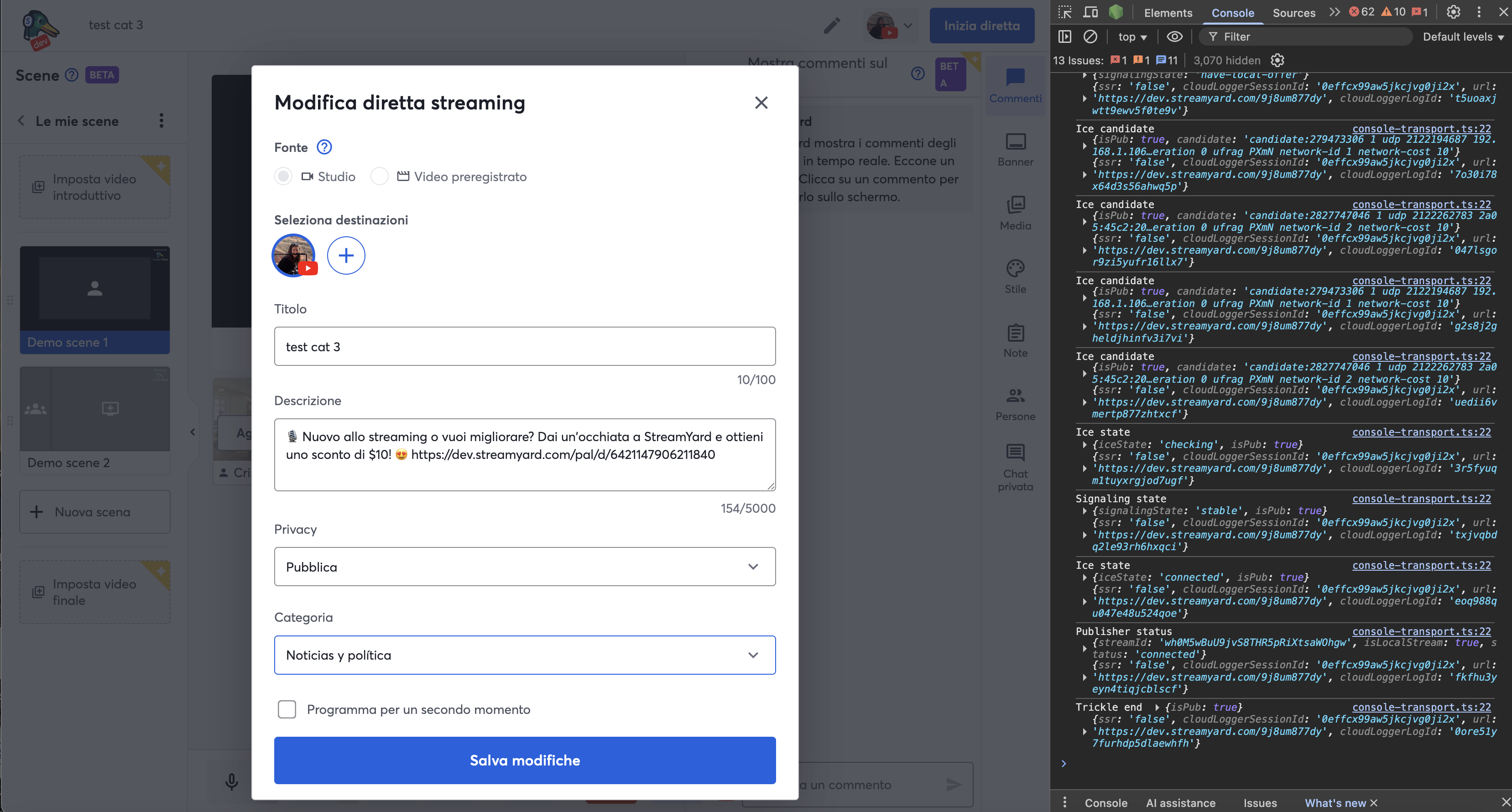
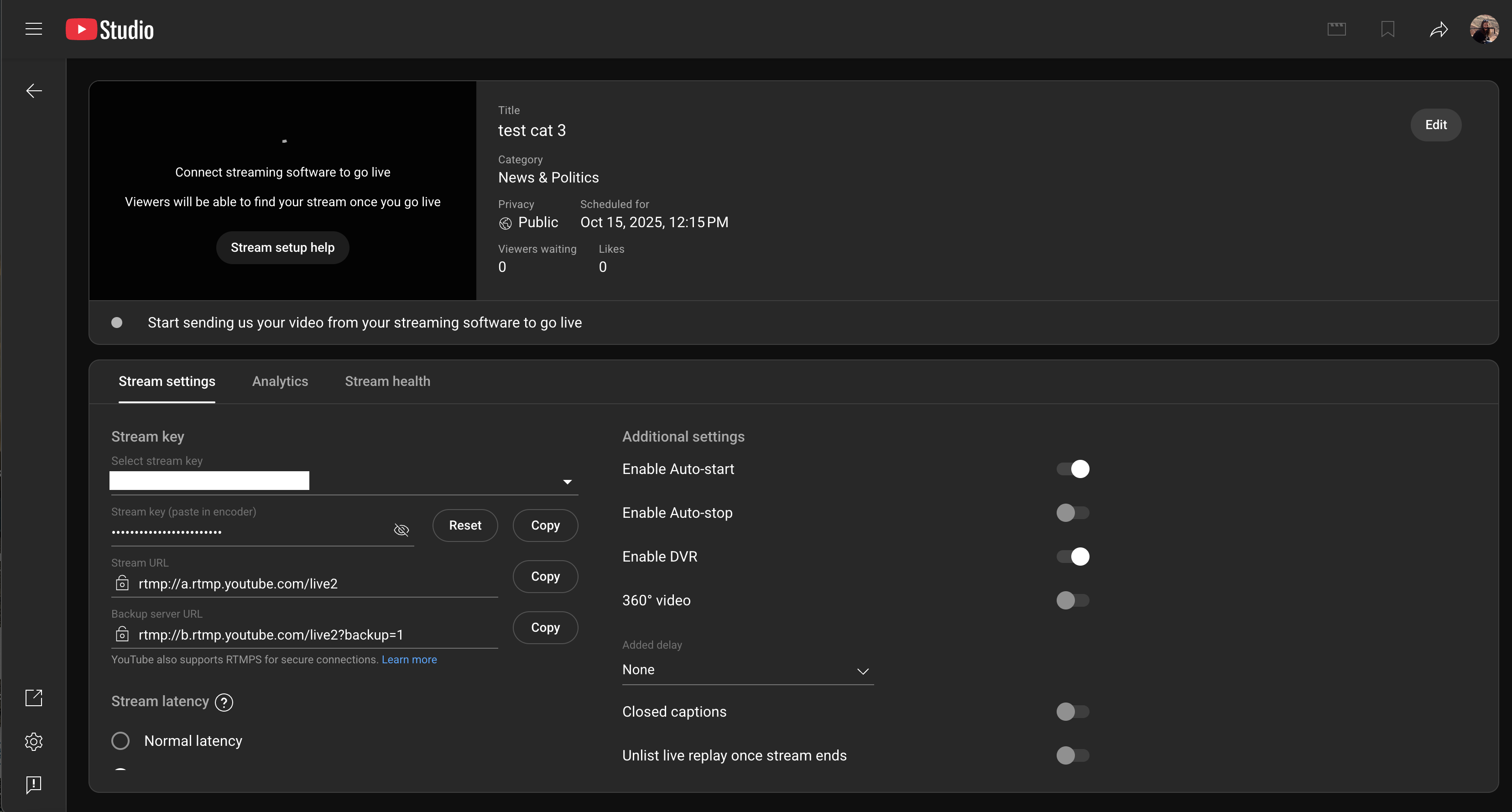
And this of course is reflected, both on broadcast creation and update, on YouTube’s side:
Conclusion
Implementing YouTube categories taught me the importance of building flexible, platform-agnostic components when dealing with third-party APIs, even when their structures differ. The key was understanding each platform’s quirks and building abstractions that hide those differences from the rest of the application.