The Figma MCP Is Bad

What are MCPs?
MCPs (Model Control Protocols) represent the latest evolution in AI-powered development tools. They can be quite powerful and are quickly becoming very popular - think of them as a dictionary between your favorite AI and whichever software you are trying to make it understand.
The promise is that they will allow you to automate repetitive tasks and streamline workflows by allowing AI to understand and manipulate the specialized software directly. I am here to call bull. I was promised greatness through this video demo. But as I have seen with the Figma MCP, their effectiveness can vary significantly depending on the use case. While they offer the potential for increased efficiency, especially in standardized workflows, they may sometimes require more effort in verification and correction than traditional manual approaches, particularly when dealing with custom or complex implementations like StreamYard.
Setting up the Figma MCP
As part of my task this week, I’ve been asked to experiment with the Figma MCP and Cursor, and report on whether this is something developers across the squad should start using. I had to build some custom landing pages on which we will run some Google Ads based on their theme and keywords, and basically the Figma MCP gives Cursor access to see the Figma design, which could potentially save a lot of time when building these pages.
We used an adaptation of the vanilla version of this third-party Figma MCP for secure Docker deployment. To give it a try yourself, follow the docu below provided to me by my team:
Prerequisites
You will need to create a Figma access token to use this server. Instructions on how to create a Figma API access token can be found here.
Getting Started with Docker
Add the following to your MCP configuration file in your IDE:
1
2
3
4
5
6
7
8
9
10
11
12
13
14
{
  "mcpServers": {
    "figma": {
      "command": "docker",
      "args": [
        "run",
        "-i",
        "--rm",
        "--init",
        "--figma-api-key=YOUR-FIGMA-API-KEY"
      ]
    }
  }
}
Alternatively, you can pass the Figma API key as an environment variable:
1
2
3
4
5
6
7
8
9
10
11
{
  "mcpServers": {
    "figma": {
      "command": "npx",
      "args": ["-y", "figma-developer-mcp", "--stdio"],
      "env": {
        "FIGMA_API_KEY": "YOUR_FIGMA_API_KEY"
      }
    }
  }
}
Then, it is as simple as:
- Open your IDE’s chat (e.g. agent mode in Cursor).
- Paste a link to a Figma file, frame, or group.
- Ask Cursor to do something with the Figma file, e.g. implement the design.
- Cursor will fetch the relevant metadata from Figma and use it to write your code.
The Figma MCP server is specifically designed for use with Cursor. Before responding with context from the Figma API, it simplifies and translates the response so only the most relevant layout and styling information is provided to the model.
Reducing the amount of context provided to the model helps make the AI more accurate and the responses more relevant.
Testing It
I found it to waste more time than it saved for me.
I started simple: gave it the link to a frame, and asked it to fetch the text and assets first. For some reason, it took it at least 3 tries to even read basic text correctly. After a few correct reads it was a bit better, but since I had to check the translations had been imported correctly it would have taken me the same amount of time to just copy paste them manually.
I never managed to import any assets through the MCP, and building pages went horribly. It works slightly better for smaller components, but since in StreamYard we use a lot of in-house components, again it takes more time to change this manually than just doing it yourself, even when you provide it with the files to the components you want to use.
Here is an example: you can see it takes 2 calls to the MCP tool to then be unable to import images and get the wrong translations lol, plus it is quite slow.
Here, you can see that it doesn’t work well when told to build something AND use the design, it gets confused. It did provide the addition of the route correctly, but then never actually did anything with the Figma design. And it is sloooooow.
Here, I provided it with the LandingTemplate, the in-house component I want it to use, and asked it to use the same structure but just update the media and texts. Instead, it creates a random file somewhere else in the codebase and just calls the LandingTemplate.
Here, I give up and ask it to just curl the URL to the design for the section with the translations and images, since the direct API call usually works better. For some reason, it still decided to use the MCP tool, but in the end we got there and got the correct translations! No images though. Most prolific 30 mins of my life.
And 2 more fails. I did have 1 minor success using it to build the row with the reviews (the one with the people images, 5 stars and the “Trusted by 12M+” text). But tbf this is a super simple component, and it didn’t use the in-house Translation component or proper styling. So in the end I had to tweak pretty much all of it, and I’m pretty sure it would have done a better job if I had just explained what I wanted (“Create a row with 2 images and a Translation…”).
While I’m sure we could get better results with better prompting or giving it access to more components, it is imo not worth it for the result, especially given that good old screenshots work well enough already. So I just went back to happy coding with screenshots and Cursor, until Claude Code came along (spoiler for future article!).
Conclusion
After speaking to some colleagues across other teams, this is what I learned:
Another good alternative for AI-based UI building is Lovable.
A colleague used Figma Make to build the following page and provided very positive feedback on it:
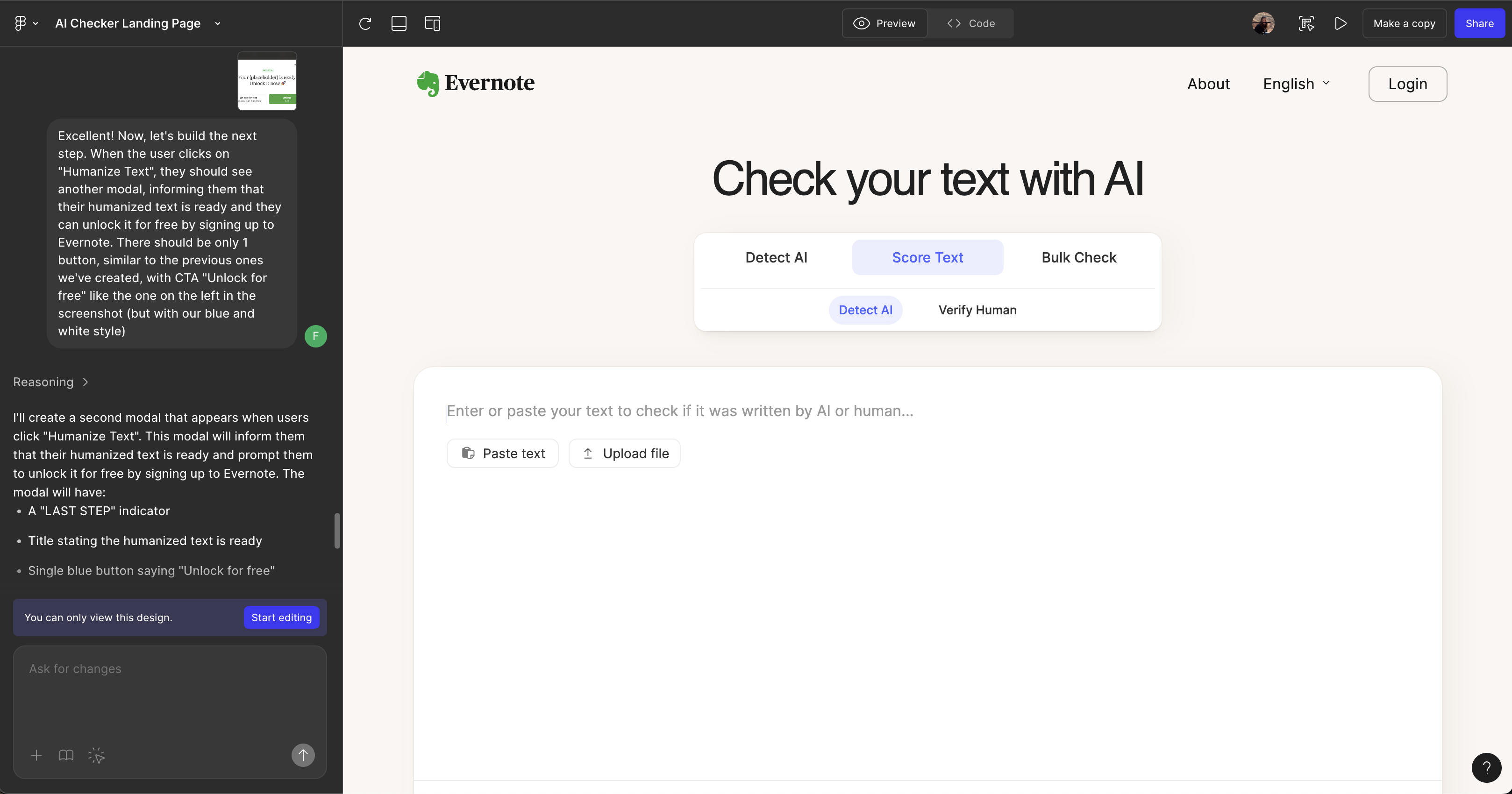
Another colleague reported that using V0 improved the UI output a lot.
For now, I don’t think it is worth it for you to add this tool to your day-to-day workflow. But from what I hear, Figma is working on a mapping that allows you to map your Figma system design to codebase components and constants. If this is the case, I may be soon re-reviewing a Figma MCP with a different opinion, we will see.